

Sanyipace Pipe Locator 512Hz Receiver Locating Wand for Sewer Camera
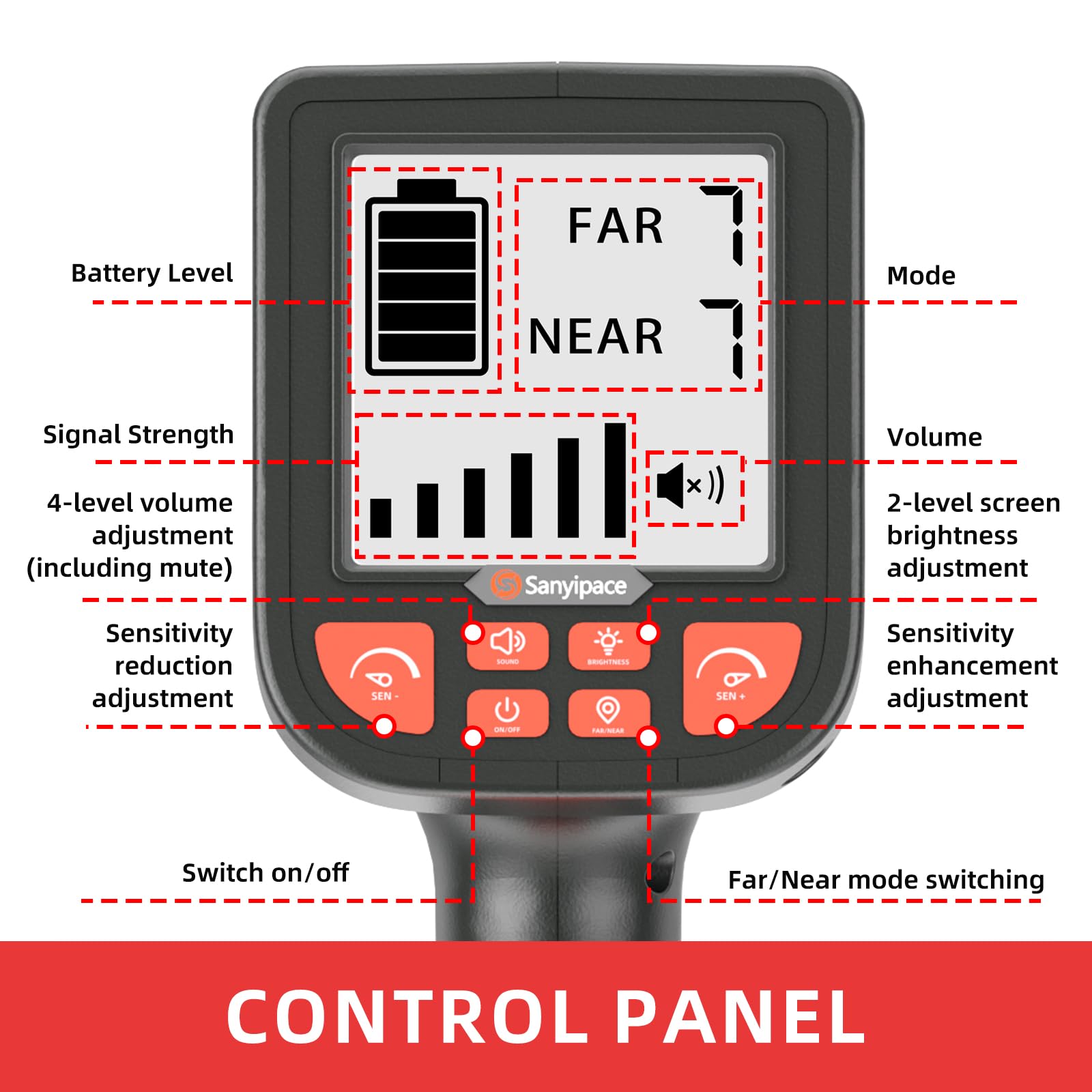
- Visual Operation – Unlike traditional locators, the innovative Sanyipacec 512Hz receiver offers a clear on-screen display of battery level, far/near mode, signal strength, and volume. All functions are easily accessible with buttons, boosting your work efficiency!
- Compatible not only with Sanyipace brand sewer cameras but also with any plumbing inspection device equipped with a 512Hz transmitter, quickly pinpointing problem areas such as blockages, bulges, cracks, crushes, or breaks in pipes that require repair or replacement
- Easy to Use: The locator offers two modes: long-range mode (up to 16.5FT/5M) and short-range mode (up to 3.3FT/1M). First, install the antenna and power on the locator, set the sensitivity to maximum, and scan the area in Far Mode. Gradually move toward the strongest signal, reduce sensitivity to a minimum, and switch to Near Mode. Fine-tune sensitivity in Near Mode to pinpoint the transmitter's exact location when the signal is strongest.
- Sanyipace team provides 24/7 after-sales service and lifetime technical support. Our sewer cameras and locators are ideal for plumbers, construction workers, and homeowners. It can widely be used in sewage pipe inspection, underground water pipe inspection, oil and gas pipeline inspection, plumbing inspection, HVAC duct pipeline inspection, underground exploration, home pipe blockage inspection, etc.
- NOT including the 512 Hz transmitter. If you need one, please contact our support team via or our official website at [sanyipace.com]
Estimated shipping
Select a product to estimate shipping.HOW TO USE THE LOCATOR
Survey the area:
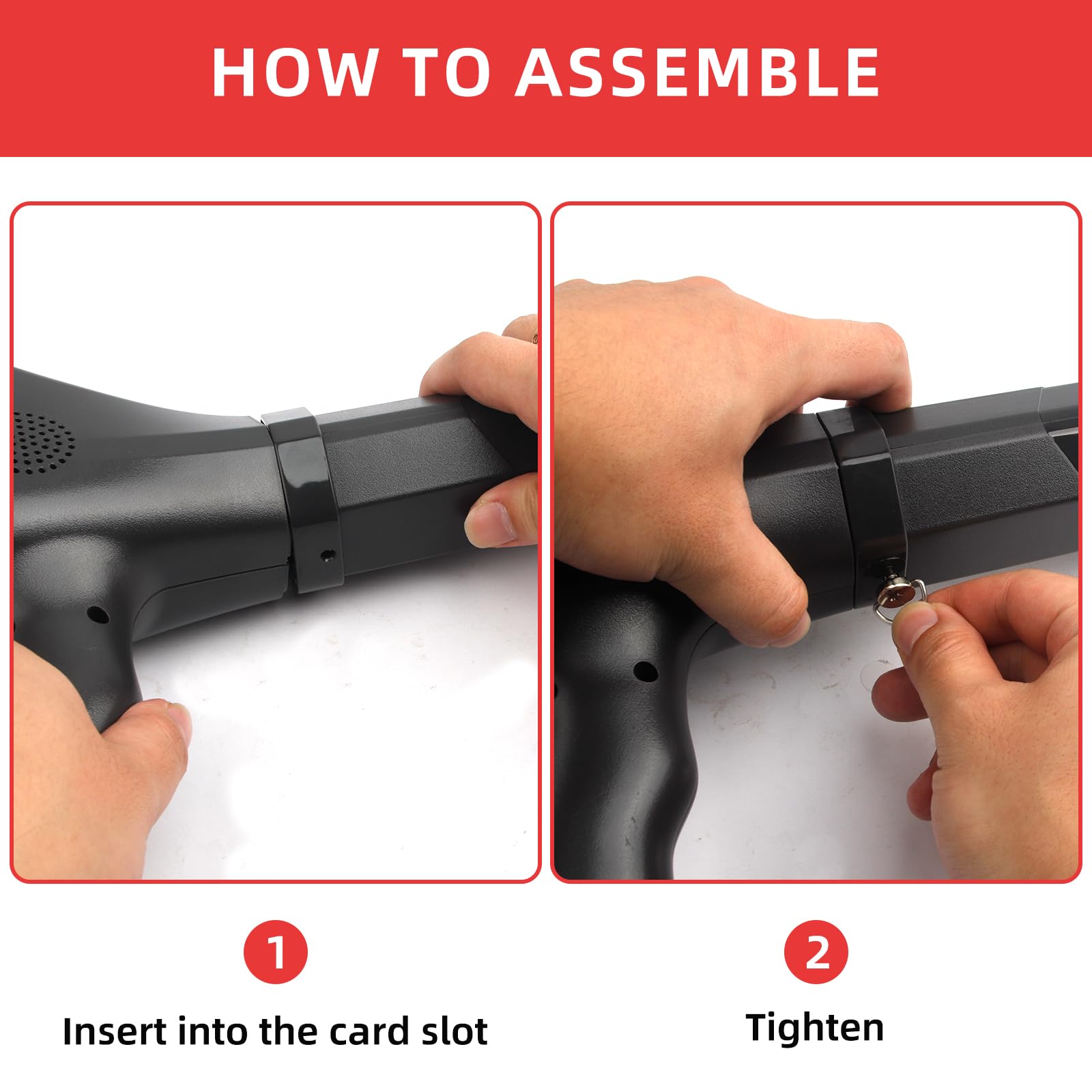
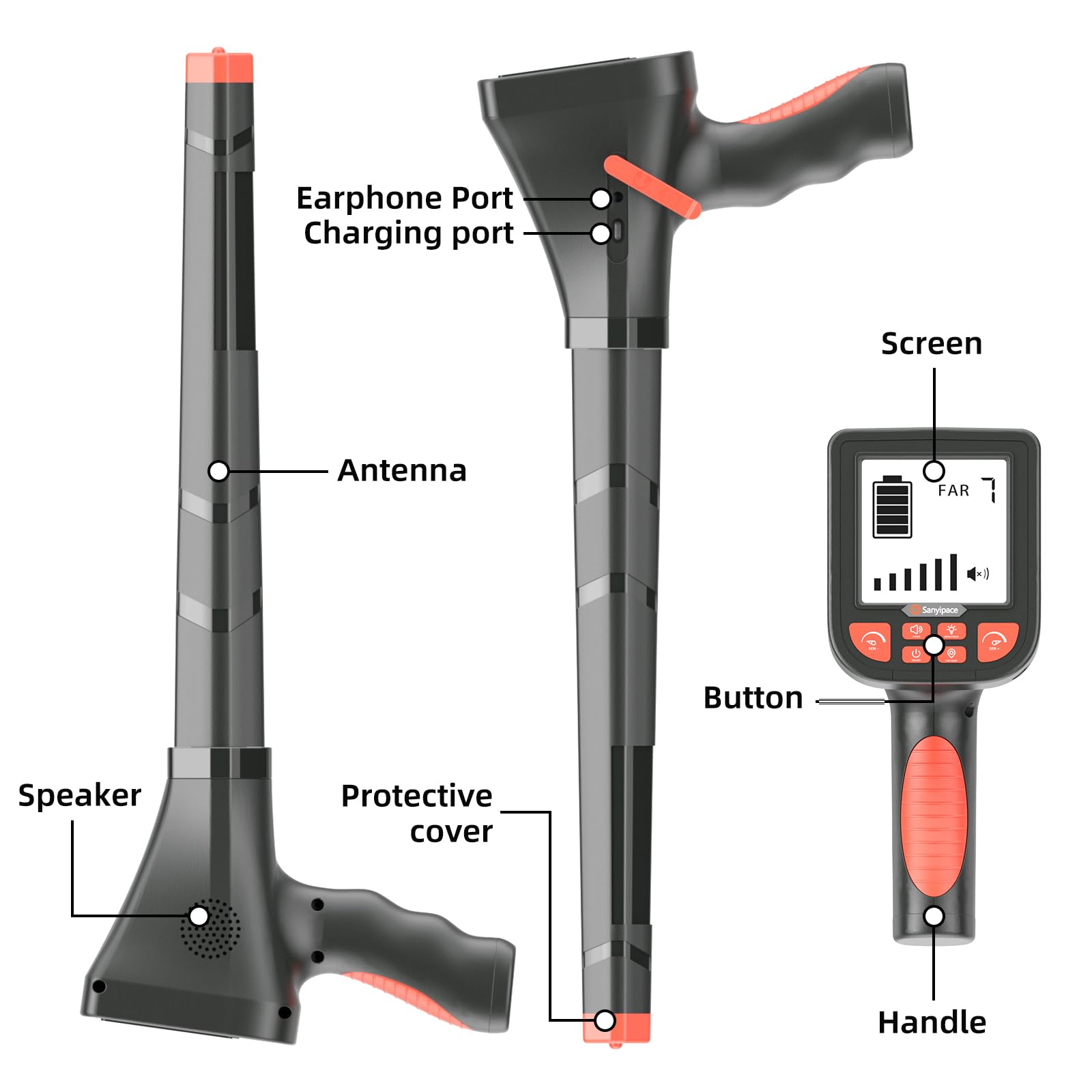
1). Install the antenna and turn on the locator.
2). Press the "SEN+" button to adjust the sensitivity to the maximum value (7), you will hear the noise from the speaker (you can also adjust or turn off the volume by pressing the "SOUND" button), and set the mode to "Far".
3). Hold the receiver and walk around the area where you want to estimate the location, slowly sweeping the receiver back and forth.
4). When the correct direction of the transmitter is detected, the signal will become stronger, otherwise, it will become weaker.
5). When the signal display is full, slowly reduce the sensitivity by pressing the "SEN-" button.
6). Keep the receiver perpendicular to the ground and slowly move closer to the transmitter. When the sensitivity is adjusted to the minimum value (1) and the signal display is still full, set the mode to "Near".
Detector searches for specific locations:
1). Use the above steps to find the approximate location of the transmitter and switch the mode to "near".
2). Press the "SEN+" button to adjust the sensitivity to the maximum value (7), hold the receiver, and slowly sweep the receiver back and forth within the approximate location of the transmitter. The closer you get to the exact location of the transmitter, the stronger the signal will be, otherwise, it will become weaker.
3). When the signal is displayed as the strongest, slowly lower the sensitivity by pressing the "SEN-" button. When the sensitivity is adjusted to the minimum value (1) and the signal display becomes the strongest, you can determine that this position is the specific location of the transmitter.
[Technical Parameters]
Screen Size: 3.5 inch
Screen operation: press buttons
Receiver Frequency: 512Hz
Power consumption: <3W
Distance: about 5M/16.5FT
Battery: 3.7V 3000mAh built-in lithium battery
Charger: 5V0.5A
Charger time: about 6 hours
Battery Indicator: 5 bar
Battery working time: about 10 hours
Signal strength: 6 gear
Sensitivity Adjustable: Support
Speaker: Support
Detect Mode : Far/ Near
Product details


Specifications
| Main Specification | |
|---|---|
| Manufacturer | Sanyipace |
| Brand | Sanyipace |
| Item Weight | 5.06 pounds |
| Product information | |
|---|---|
| Package Dimensions | 17.17 x 9.92 x 5.98 inches |
| Item model number | S68R |
| Others | |
|---|---|
| Date First Available | 2025, April 22 |
| Product Type | Borescopes |
| Tags | |
|---|---|
| Tags | |