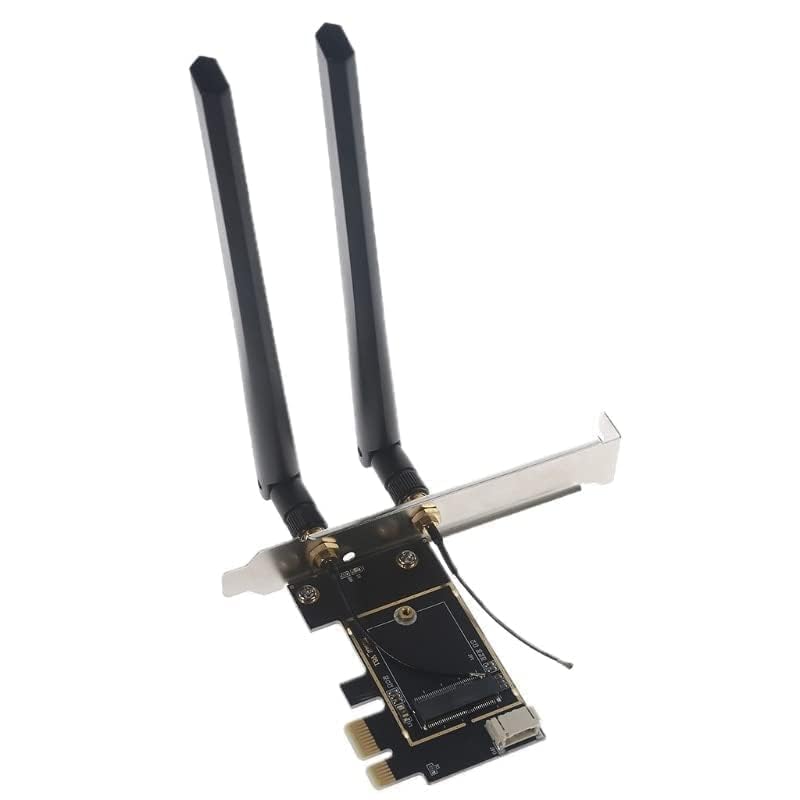
Laptop to Desktop (PCIe x1) Wi-Fi Card Converter for M.2 PCIe Network Cards with Bluetooth Support (Adapter_Only)
- Laptop M.2 WiFi Card to Desktop PCIe x1 Converter with Bluetooth-compatible Cable and Antennas
- Supports NGFF M.2 PCIe Wi-Fi Cards (Key A or Key E) designed for Laptop Wi-Fi Cards
- Required Desktop Slots: PCIe x1, x4, x8, or x16 & open USB pin connector (header) on motherboard
Estimated shipping
Select a product to estimate shipping.Note: the Wi-Fi card is sold separately! This is the Laptop to Desktop Converter Kit Specifications & Compatibility Requirements: System: most Intel or AMD systems. Motherboard must have available internal USB Pin connector for Bluetooth cable Operating Systems: Windows 10, Windows 11, Linux Desktop Connection: PCIe x1, x4, x8, x16 Supports NGFF M.2 Wi-Fi Cards (Key A or Key E) designed for Laptop Wi-Fi Cards Network Card sold separately Installation: Gently insert your Wi-Fi card into the provided Adapter. Secure with the provided screw. Gently attach the provided antenna connectors to your network card---be gentle! The connectors generally pop right on! Turn off your system's power, open the back cover, and locate an available PCIe x1, x4, x8, or x16 slot Install into an available PCIe slot (Note: If the bracket is not the right size, swap with the other provided bracket) Screw the provided antennas to the exterior of the card (they should be outside your PC) Test your new Wi-Fi Card by powering on your system (You may need to download the drivers for your specific Wi-Fi card) Then, reattach your systems back cover and enjoy your upgraded Wi-Fi! Package Contents: (1) Set of antennas & wires (1) PCIe Adapter Card (1) Standard Desktop Brackets (1) Bluetooth cable (requires open USB pin set on motherboard) Need assistance on compatibility? Let us know!
Especificaciones
| Main Specification | |
|---|---|
| Fabricantes | HighZer0 Electronics |
| Marca | HighZer0 Electronics |
| UPC | 655466780395 |
| Número de artículos | 1 |
| Dispositivos compatibles | Desktop |
| Color | Adapter_Kit |
| Peso del artículo | 2.9 Grams |
| Product information | |
|---|---|
| Interfaz de hardware | PCIE x 4 |
| Technical Details | |
|---|---|
| Número de pieza del fabricante | ACC03Z |
| Tasa de transferencia de datos | 1.73 Gigabits Per Second |
| País de origen | USA |
| Item details | |
|---|---|
| Número de modelo | ACC03Z |
| Nombre del tipo de elemento | Laptop to Desktop Wireless Adapter Converter |
| Otros | |
|---|---|
| Protocolo de enlace de datos | Bluetooth, Wi-Fi |
| Versión mínima del sistema operativo requerido | Windows 11, Windows 10 |
| Familia de sistema operativo compatible | Linux, Windows |
| Tipo de producto | Laptop to Desktop Wireless Adapter Converter |
| Índice | Laptop to Desktop Wireless Adapter Converter |
| Unidad de peso del objeto | 2.9 Grams |
| Etiquetas | |
|---|---|
| Etiquetas | |