


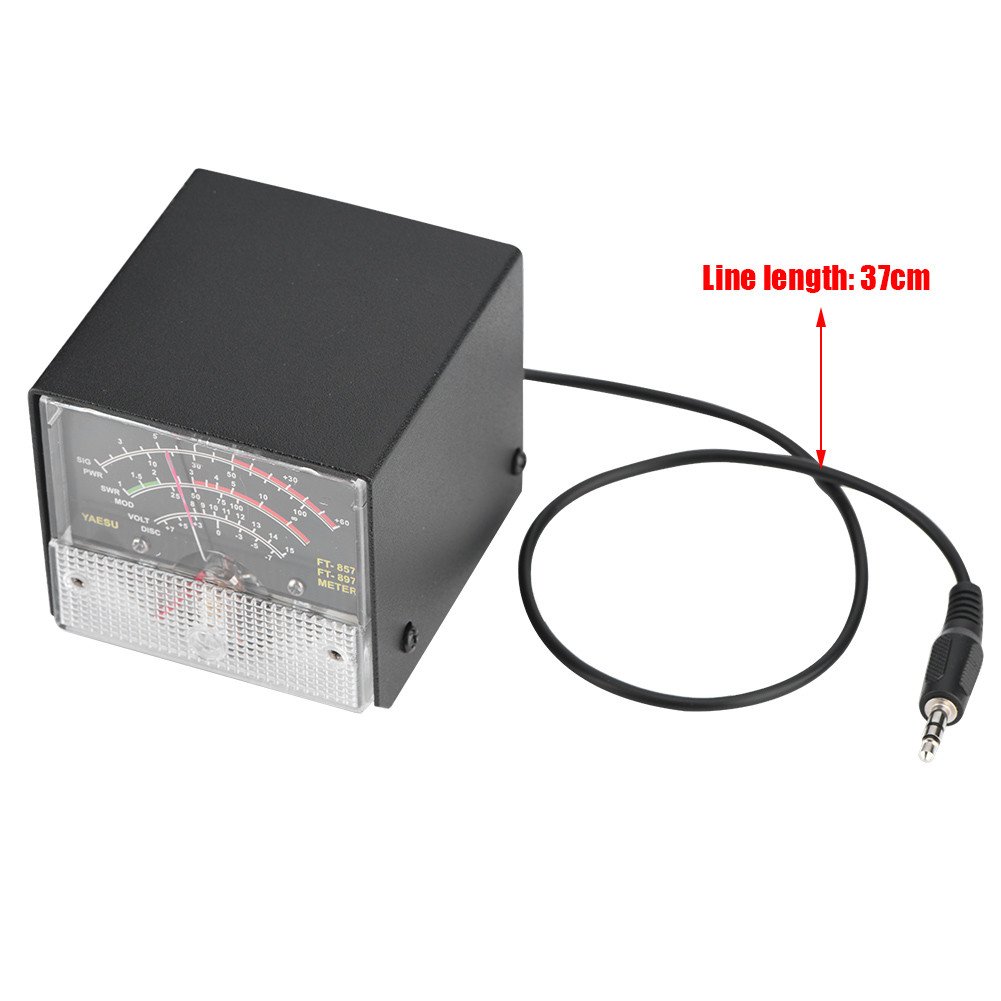

External S Meter SWR Power Meter, Multi-Function Receive Display Expansion Unit for Portable Amateur Radio
- High performance and super stability.
- Only be applied for FT-857D and FT-897.
- Clearly displays The automatic level control voltage, modulation level, standing ratio and supply voltage.
- and excellent durability.
- Easy to operate.
Estimated shipping
Select a product to estimate shipping.External S Meter SWR Power Meter Receive Display Multi-Function Expansion Meter for Yaesu FT-857/ FT-897
Only be applied for Yaesu FT-857D and FT-897.
High performance and super stability.
Clearly displays The automatic level control voltage, modulation level, standing ratio and supply voltage.
Package List:
1 * External S Meter Display Meters for Yaesu FT-857/FT-897
FT-857D& FT-897D external header display setting method:
Receive Display Settings
1. press (FUNC) key to enter the setup menu, enable the extended menu.
2. rotate (SELECT) to call up the setup menu item No-061(MTR ARX SEL).
3. rotate (DIAL) to select an external instrument display:
-SIG: the input strength display
-CTR: Discriminator Center Meter
-VLT: battery voltage
-N / A: blank
-FS: buckle in the instrument 1mA full scale output calibration standard external instruments
-OFF: Turn off the meter.
4. press (FUNC) to save the settings and exit the setup menu.
Emission Display Settings
2. rotate (SELECT) to call up the setup menu item No-061 (MTR ARX SEL).
-PWR: transmit power display
-ALC: Automatic Level Control voltage display
-MOD: Modulation Level Display
-SWR: SWR display
-VLT: Display Supply Voltage
Calibration method is as follows
2. rotate (SELECT) to call up the setup menu item No-060 (MTR ARX SEL).
3. rotate (DIAL) to select FS.
4. with a small flathead screwdriver to adjust the calibration adjustment hole rear, so the header pointer to full scale.
5. the calibration is complete!
Note:
The instrument has been calibrated delivery, but do not preclude the bumps transit results in a static pointer is not zero, in this case the instrument can be adjusted at the mask-side self-zeroing screws appear black.
Product details


Especificaciones
| Main Specification | |
|---|---|
| Medida de especificación | RoHS, UL, CE |
| Dispositivos compatibles | Yaesu FT-857D, Yaesu FT-897 |
| Fabricantes | Serounder |
| Cuenta de unidad | 1 Cuenta |
| Marca | Serounder |
| UPC | 738602642082 |
| Número de artículos | 1 |
| Fuente de energía | Batería alimentada |
| Color | default |
| Estilo | Estándar |
| Peso del artículo | 0,29 kg |
| Product information | |
|---|---|
| Número de paquetes | 1 |
| Technical Details | |
|---|---|
| Número de la parte | Serounderbnfmq593rs |
| Modelo | FT-EM1 |
| Tipo de medida | Voltímetro |
| Style | |
|---|---|
| Nombre del estilo | Estándar |
| Otros | |
|---|---|
| Tipo de producto | Power Meters |
| Etiquetas | |
|---|---|
| Etiquetas | |