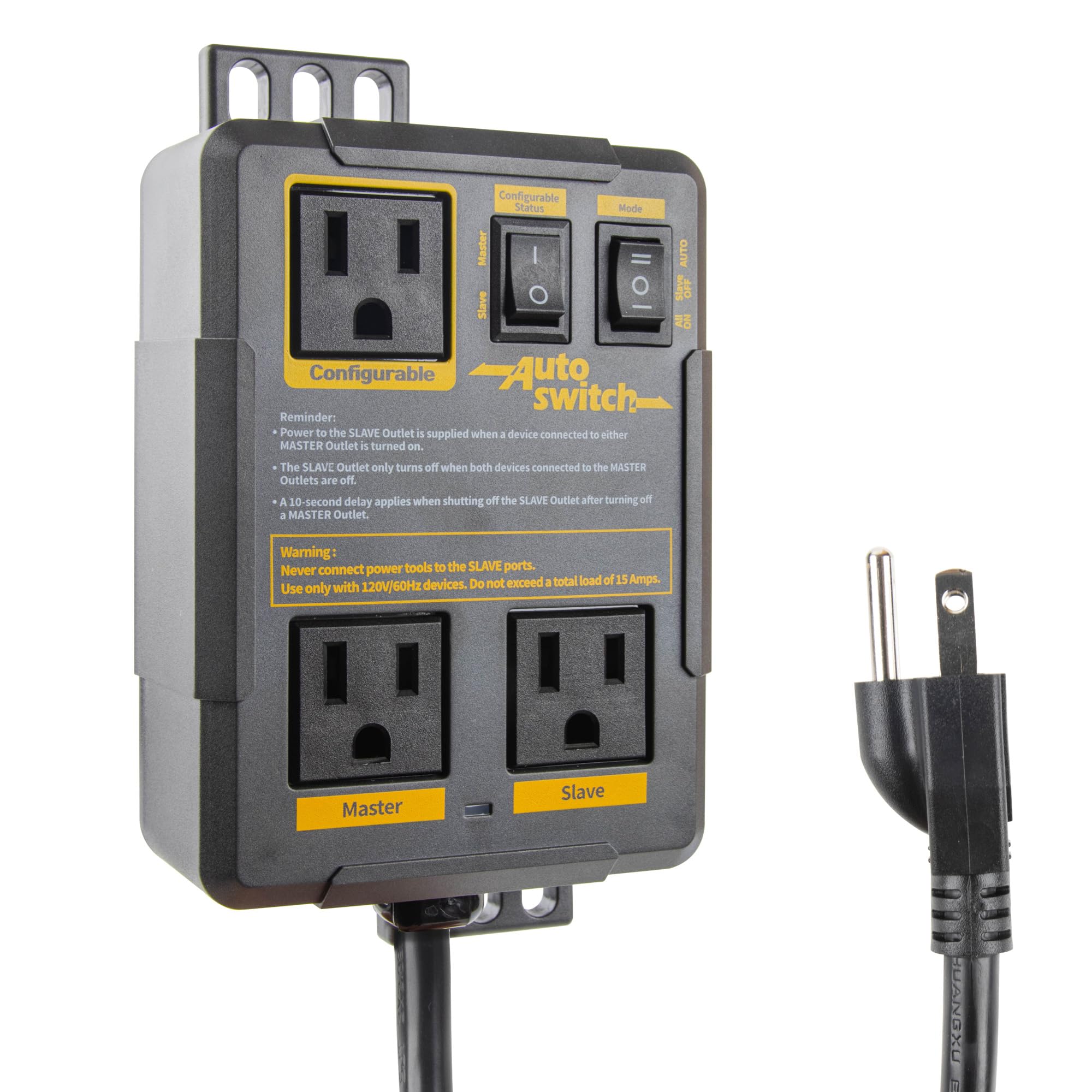

O’Skool Automatic Vacuum Switch for Table Saw, Miter Saw, Power Tools,15A
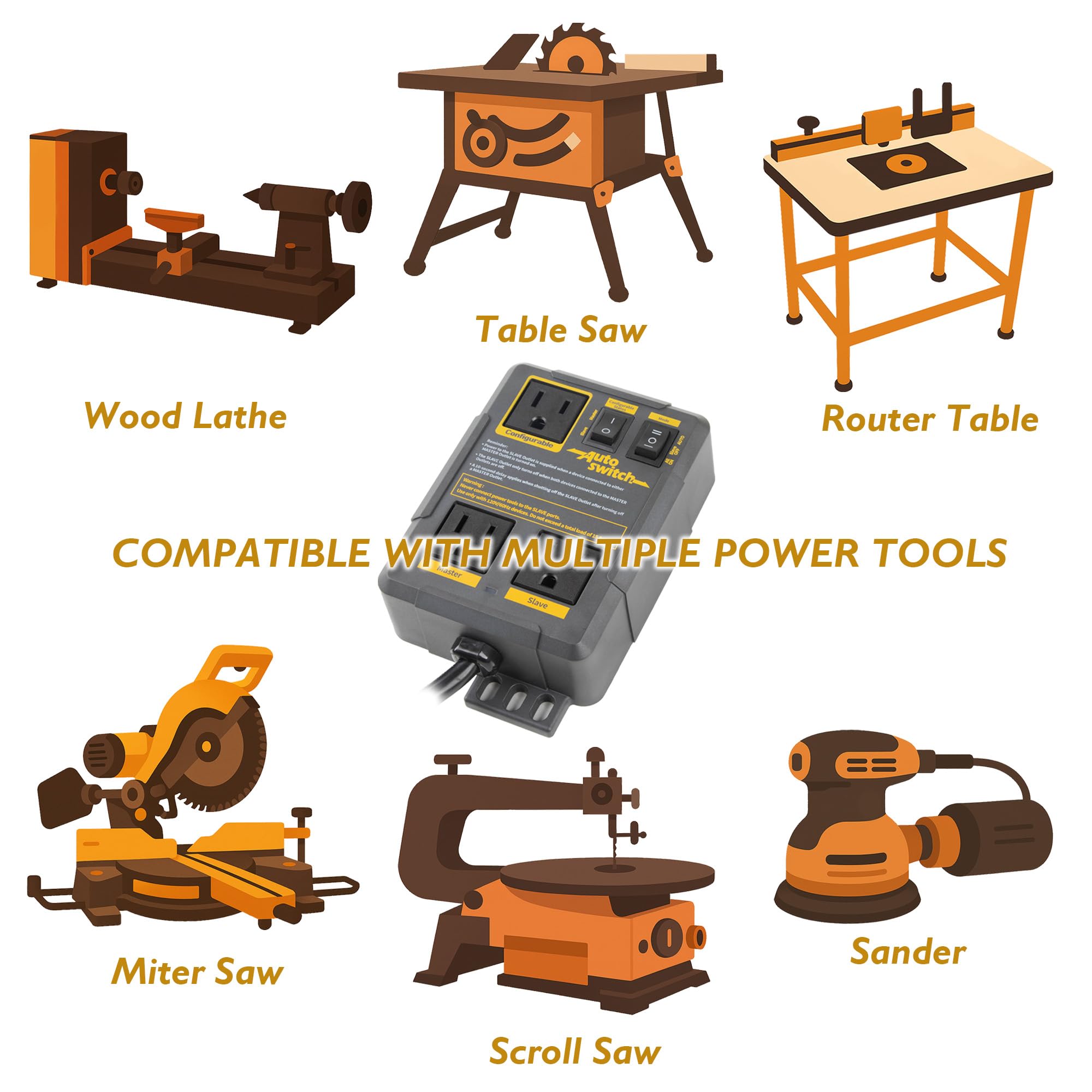
- TOOL-ACTIVATED DUST COLLECTION — Connect a table saw, miter saw, router, or sander to a Master outlet and a shop vac or dust collector to the Slave outlet. In AUTO mode, starting the power tool automatically powers the connected dust collection equipment
- SELECTABLE MASTER/SLAVE OUTLET — Set the third outlet as a second Master for another tool connection or as an additional Slave for controlled equipment. This flexible master slave switch layout supports different woodworking dust collection setups without rewiring
- 3 MODES FOR DIFFERENT SHOP TASKS — Select AUTO for a tool-activated vacuum switch, ALL ON for continuous power to all three outlets, or SLAVE OFF when you need the Master outlets powered without starting the connected shop vacuum
- APPROX. 10-SECOND VACUUM SHUTOFF DELAY — After the Master tool stops, the Slave outlet keeps the connected shop vac or dust collector running for about 10 seconds before power shuts off, helping move remaining dust through hoses and ports during cutting or sanding tasks
- MATCH THE LOAD TO YOUR SETUP — Rated for 120V/60Hz systems with a maximum combined load of 15A or 1875W. AUTO mode requires at least 2A/240W from the Master tool; confirm your equipment ratings for proper operation
- Backed by a 1-year warranty; customer support is available for product questions and basic setup assistance
Estimated shipping
Select a product to estimate shipping.Our Automatic Vacuum Switch brings seamless, hands-free dust management to your woodworking setup. Rugged, UL-certified safety, flexible tool compatibility, and advanced control modes ensure you spend less time fiddling with switches and more time crafting.
Master, Slave & Configurable Outlets in One Automatic Vacuum Switch
Tailor power delivery with one intelligent controller:
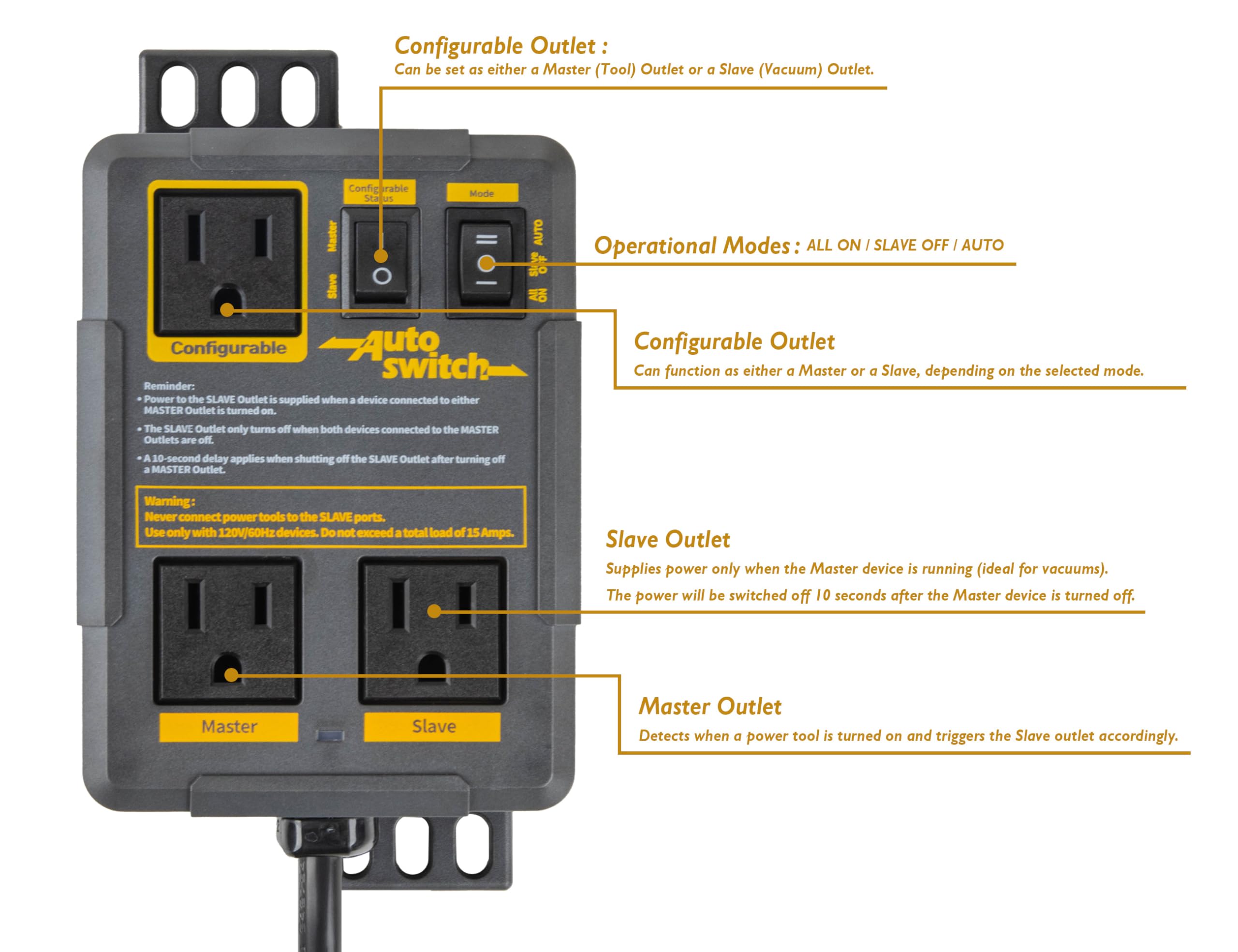
The Master outlet senses tool activation and triggers
The Slave outlet to run your vacuum, and keeps it on for 10 seconds after shutdown to clear residual dust.
The Configurable outlet switches between Master or Slave mode, letting you power another tool or stagger dual vacuums. No extra wiring or switches—just plug in for hands-free, precise dust control.
Fine wood particles are the hidden enemy of your lung health and tool longevity. After you turn off your tool, the vacuum continues running for an extra 10 seconds, flushing out lingering dust in hoses and fittings and leaving your workspace cleaner and safer.
Two independent outlets let you connect both your primary tool and your shop vac directly.
Choose from three vacuum settings:
Auto : Dust collector powers on and off in sync with your tool
All On : Vacuum runs continuously, even when tools are idle
Slave Off : Vacuum off until tool is operating
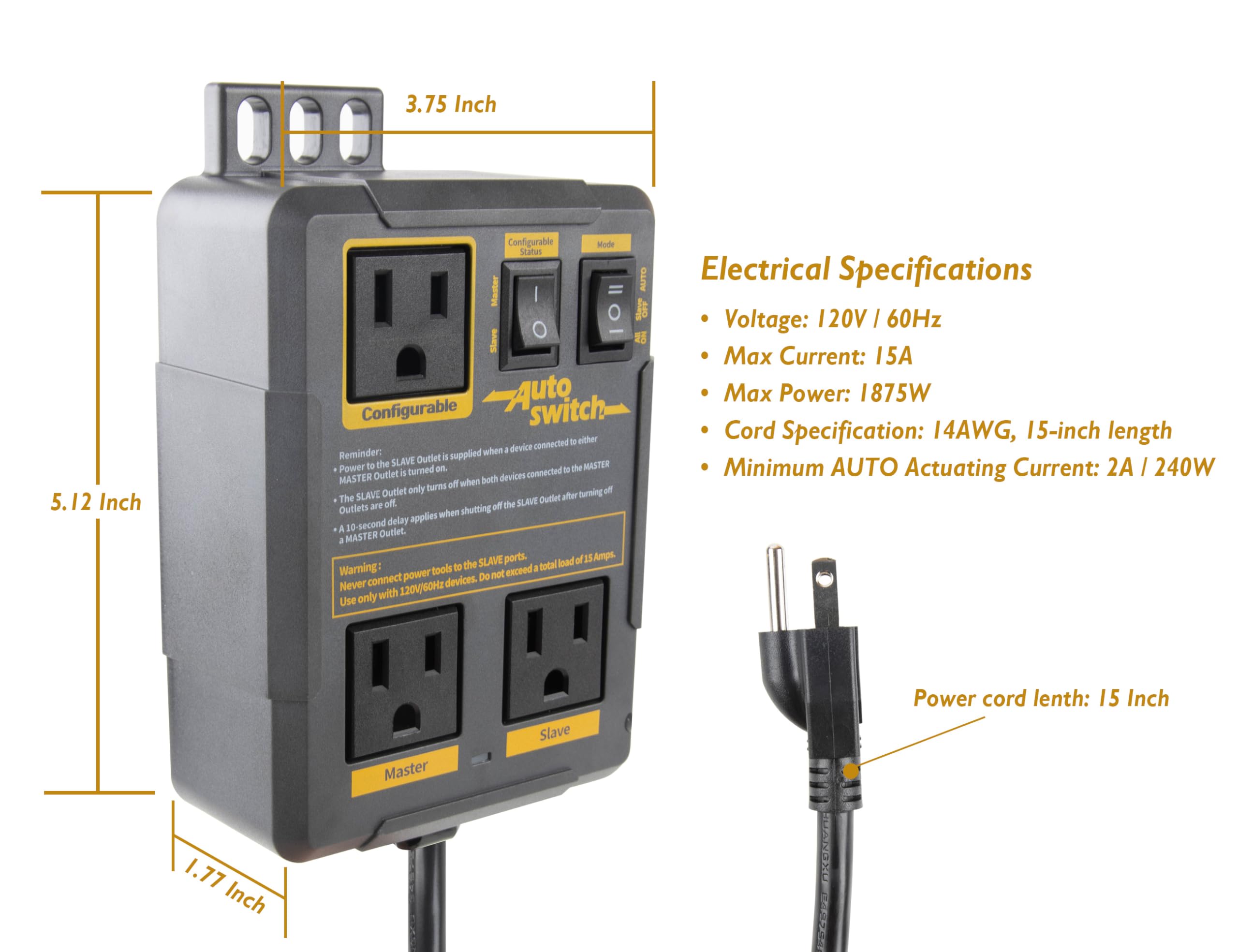
Electrical Specifications:
. Voltage: 120V | 60Hz . Max Current: 15A . Max Power: 1875W . Cord Specification: 14AWG . Minimum AUTO Actuating Current: 2A / 240W
Why doesn’t my vacuum start in AUTO mode?
AUTO requires the tool connected to a Master outlet to draw at least 2A/240W. Confirm AUTO is selected, the vacuum is switched on, and the tool is connected to a Master outlet.
Can I run a power tool and shop vac together?
Yes, provided the combined load of all connected equipment does not exceed 15A or 1875W at 120V/60Hz. Check the rating label on each device and add the loads before use.
Which outlet should I use for my saw?
In AUTO mode, connect a table saw, miter saw, or other cutting tool to a Master outlet. Connect the shop vac or dust collector to a Slave outlet so it follows the tool’s operation.
Will AUTO mode work with a low-power tool?
Not always. The Master tool must draw at least 2A/240W to trigger AUTO mode. Tools below that level may not start the Slave outlet; ALL ON can supply continuous power within the total load limit.
Can the unit be mounted near my workstation?
The housing includes mounting points for placement near a workstation. Install it on a secure surface where the switches and outlets remain accessible, and avoid pulling or supporting equipment by the power cords.
Product details


Specifications
| Main Specification | |
|---|---|
| Compatible Devices | 1785w, Routers, Table Saws, sanders, Miter Saws, Planers, and other power tools rated within 120V, 15A, 60Hz |
| Material | Plastic, Copper |
| Manufacturer | O'SKOOL |
| Unit Count | 1 Count |
| Control Method | App |
| Specification Met | Ul |
| Contact Material | Copper |
| Contact Type | Normally Open |
| Current Rating | 15 A |
| Operating Voltage | 120 volts_of_alternating_current |
| Terminal | Screw |
| Circuit Type | Parallel |
| Brand | O'SKOOL |
| Control Type | Partial |
| Number of Items | 1 |
| Operation Mode | Automatic |
| Wattage | 1785 watts |
| Connector Type | 2 Pin |
| Mounting Type | Tabletop |
| Product information | |
|---|---|
| Switch Type | Toggle |
| Technical Details | |
|---|---|
| Material Type | Plastic, Copper |
| Part Number | PTA029 |
| Model | PTA029 |
| Number of Positions | 2 |
| Others | |
|---|---|
| Product Type | Vacuum & Dust Collector Parts |
| Tags | |
|---|---|
| Tags | |